Desk Setup Tips for Focus and Comfort: Create Your Ideal Workspace
Creating a desk setup that both enhances your focus and keeps you comfortable throughout the workday is essential for productivity and overall well-being. Whether you work from home, in an office, or study, a well-organized and ergonomic workspace can make all the difference. In this post, we’ll walk through practical tips to help you design a desk setup that supports concentration and physical comfort.
Why a Good Desk Setup Matters
A properly arranged desk can reduce distractions, prevent physical strain, and promote efficient work habits. Long hours spent in an uncomfortable space can cause back pain, eye strain, and fatigue, which all reduce your ability to focus. By paying attention to your desk environment, you can create a setting that helps you remain engaged and relaxed.
Essential Desk Setup Tips for Focus and Comfort
1. Choose the Right Desk and Chair
#### Desk Height and Size
Your desk should be at a height that allows you to keep your forearms parallel to the ground while typing. If it’s too high or low, it can cause shoulder or wrist discomfort. Also, make sure the desk provides enough space for your computer, notes, and any tools you regularly use without feeling cluttered.
#### Supportive Chair
Select a chair with adjustable height and lumbar support. Your feet should rest flat on the floor or on a footrest, with your knees at roughly a 90-degree angle. A comfortable chair promotes good posture, reducing back and neck strain.
2. Position Your Monitor Properly
The monitor should be about an arm’s length away from your eyes, with the top of the screen near eye level. This setup helps reduce neck strain and eye fatigue. If you use a laptop, consider a laptop stand or external monitor to achieve this positioning.
3. Optimize Lighting
Good lighting is key to maintaining focus and avoiding eye strain.
– Natural Light: Position your desk near a window to take advantage of natural daylight, which improves mood and alertness.
– Task Lighting: Use a desk lamp with adjustable brightness to illuminate your work area without causing glare on your screen.
– Avoid Harsh Lighting: Overhead fluorescent lights can be tiring; softer, indirect lighting is usually more comfortable.
4. Organize Your Desk for Efficiency
Keep your desk tidy and organize tools to minimize distractions.
– Declutter Regularly: Remove items you don’t use daily.
– Use Organizers: Pen holders, drawer dividers, and trays keep essentials within reach and your surface clear.
– Cable Management: Use clips or sleeves to keep cords neat and prevent tangling.
5. Incorporate Comfort Accessories
Enhance comfort with simple additions that reduce strain.
– Ergonomic Keyboard and Mouse: These devices can help reduce wrist discomfort.
– Wrist Rest: A cushioned rest for your wrists can provide extra support.
– Footrest: If your feet don’t comfortably reach the floor, a footrest helps improve circulation.
6. Personalize Your Space Thoughtfully
Adding personal touches creates a welcoming environment but avoid overcrowding.
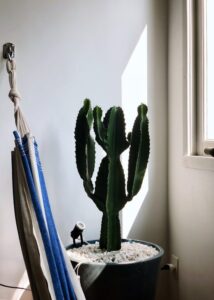
– Plants: Small indoor plants boost air quality and create a calming atmosphere.
– Visual Aids: Inspirational quotes, calendars, or vision boards tailored to your goals.
– Colors: Choose calming tones or accents that make you feel motivated and relaxed.
Maintaining Your Desk Setup for Long-Term Success
Take Regular Breaks
No matter how perfect your setup is, sitting for long periods isn’t healthy. Follow the 20-20-20 rule: every 20 minutes, take a 20-second break to look at something 20 feet away. Stretch and move around at least once an hour.
Adjust as Needed
Your ideal setup might change over time. Listen to your body, and make ergonomic adjustments whenever you notice discomfort or effort to concentrate decreases.
Stay Hydrated and Keep Healthy Snacks Nearby
Drinking water often and having healthy snacks on hand can keep your energy levels steady, supporting concentration.
Example Desk Setup Layout
– Desk near window for natural light
– Adjustable chair with lumbar support
– Monitor at eye level, 25 inches away
– Keyboard and mouse with wrist rests
– Desk lamp with adjustable brightness
– Pen holder and document tray to keep essentials organized
– Small potted plant on the corner
Conclusion
Designing your desk setup with focus and comfort in mind doesn’t require expensive equipment or a large space. Start by adjusting your chair and monitor, optimize lighting, and organize your desk to suit your workflow. Remember that comfort and productivity go hand in hand; a balanced workspace helps you stay energized and focused. Regularly evaluate and tweak your setup to meet your needs, and enjoy the benefits of a workspace that works for you.
Feel free to share your favorite desk setup tips in the comments below!